
Update your catalog
Manage product images, translations and currencies from the panel. Prepare your catalog with bulk upload.
Let visitors open your catalog from your stand QR. Let your team manage products, requests and offers from a single panel.
Sign up with invitationReal application screens Expo Global demo

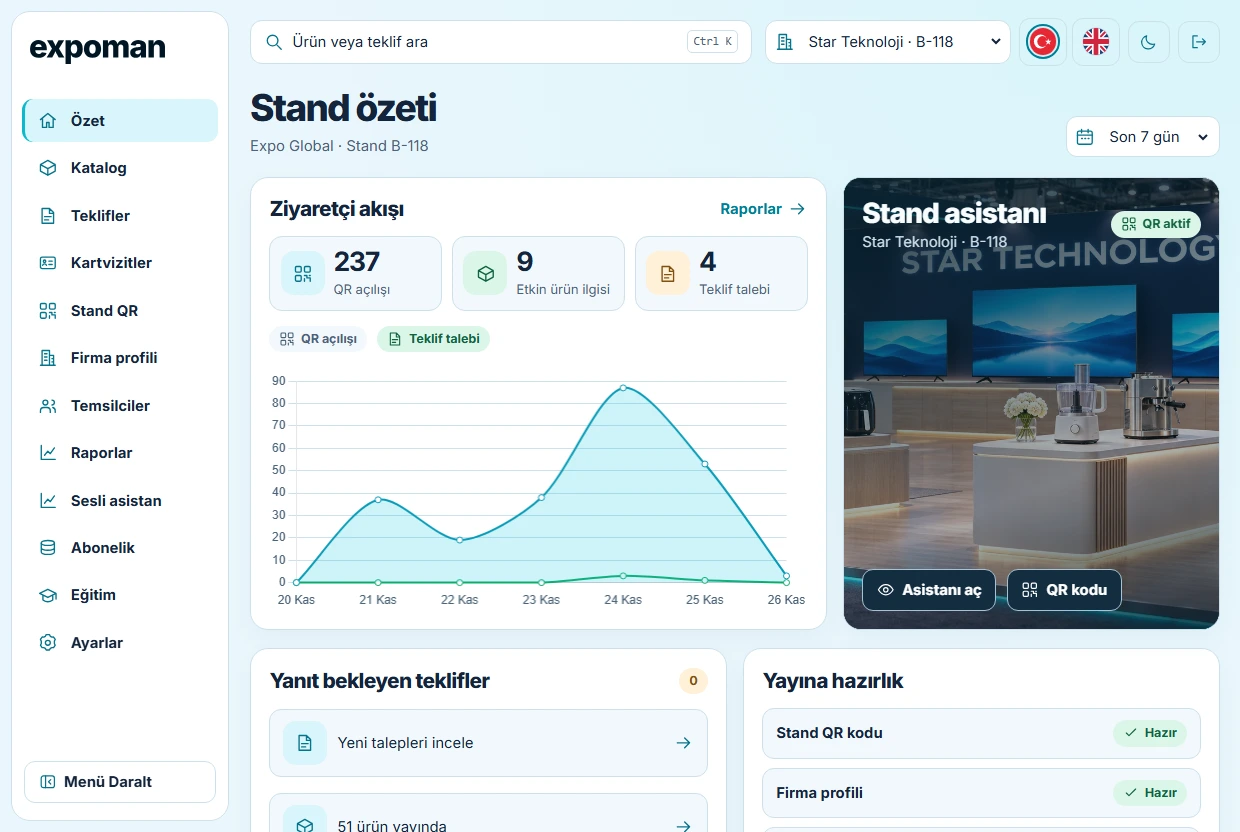
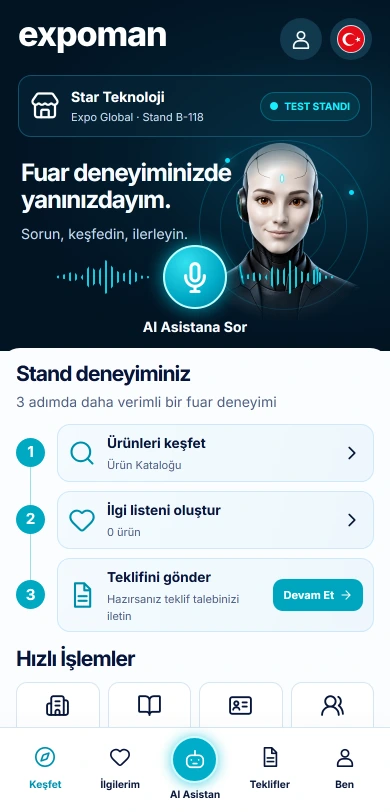
Manage product images, translations and currencies from the panel. Prepare your catalog with bulk upload.
Place the Stand code in a visible location. The visitor can open the assistant from the phone browser.
See incoming requests with product and quantity information. Write terms, submit offers, and track revisions.
Take a step-by-step review of preparation, stand experience and bid management.
Your team manages the same catalogue. The QR code shared on the stand takes the visitor to the products you publish.
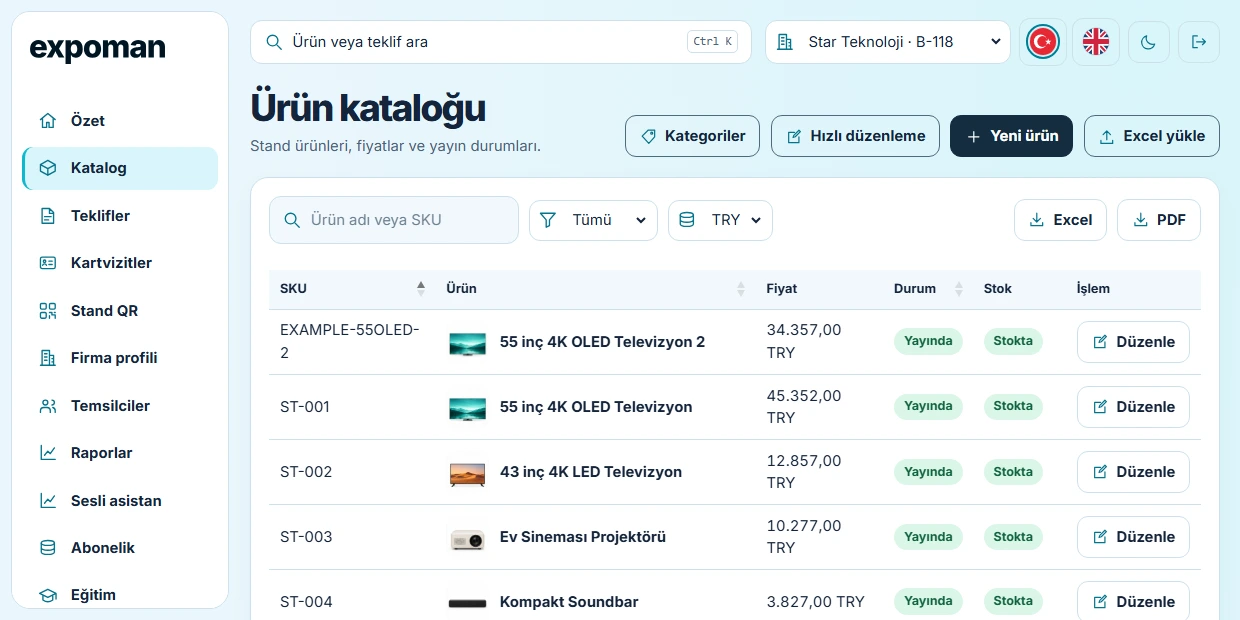
Expoman exhibitor panel · Star Technology demo catalog
The visitor opens the stand assistant on his phone and starts browsing the catalogue.
Star Technology stand assistant · Expo Global demo
Your team can publish proposals for open requisitions and track revision history.
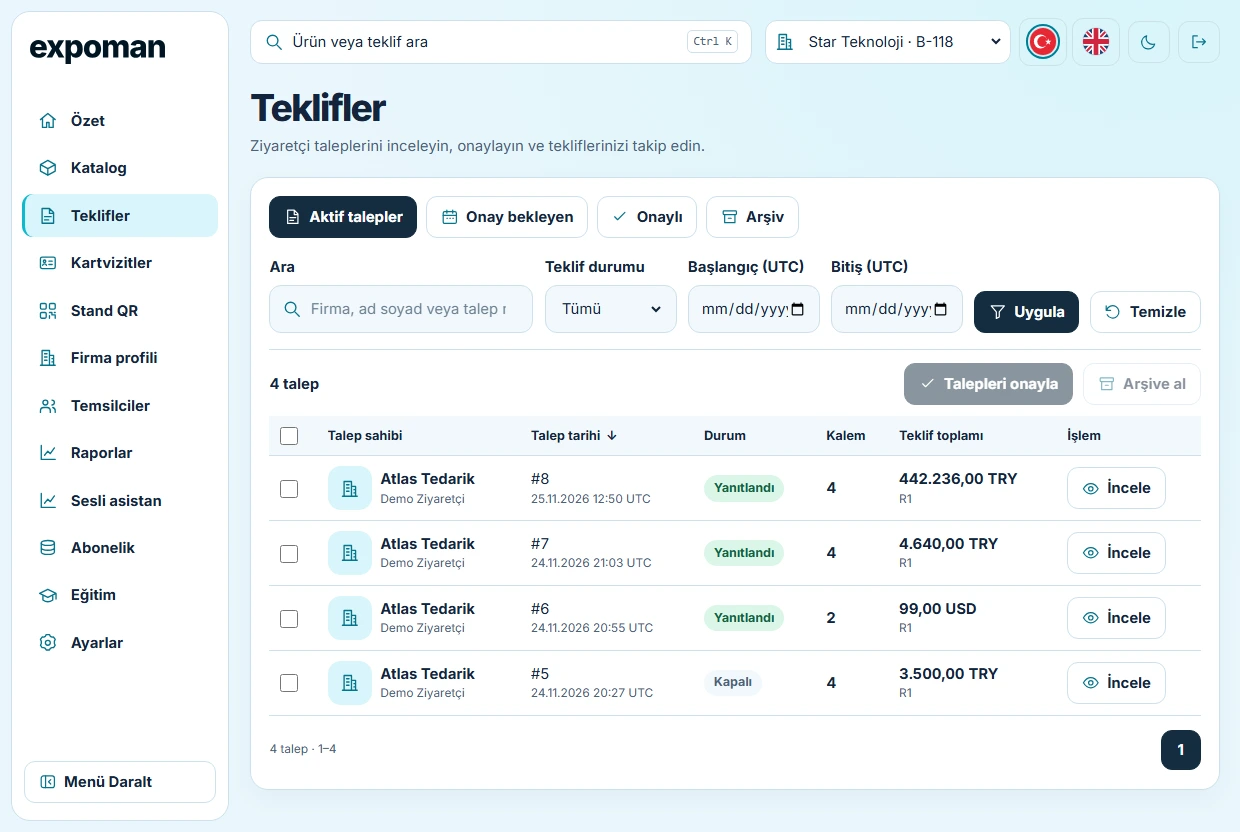
Expoman exhibitor panel · Offer tracking
Track QR openings, product interest and requests for quotes from separate indicators on the stand panel.
Track the interest by day and share it with your stand team.
Open the request detail, add trade conditions and see the status of the offer.
Stand QR opens the stand assistant in the phone browser.
Requests received during the fair remain on the panel. Your team can continue publishing proposals and managing revisions.
You can register with the invitation of your stand team. If you don't have an invitation, you can start by requesting a demo.
Request a demo or open your exhibitor account with your booth invitation.